

Brainstorming
Brainstorming Overview
Explore ideas with your team on a shared canvas and turn what you agree on into decisions that reach your sheets, flows, and scenes.
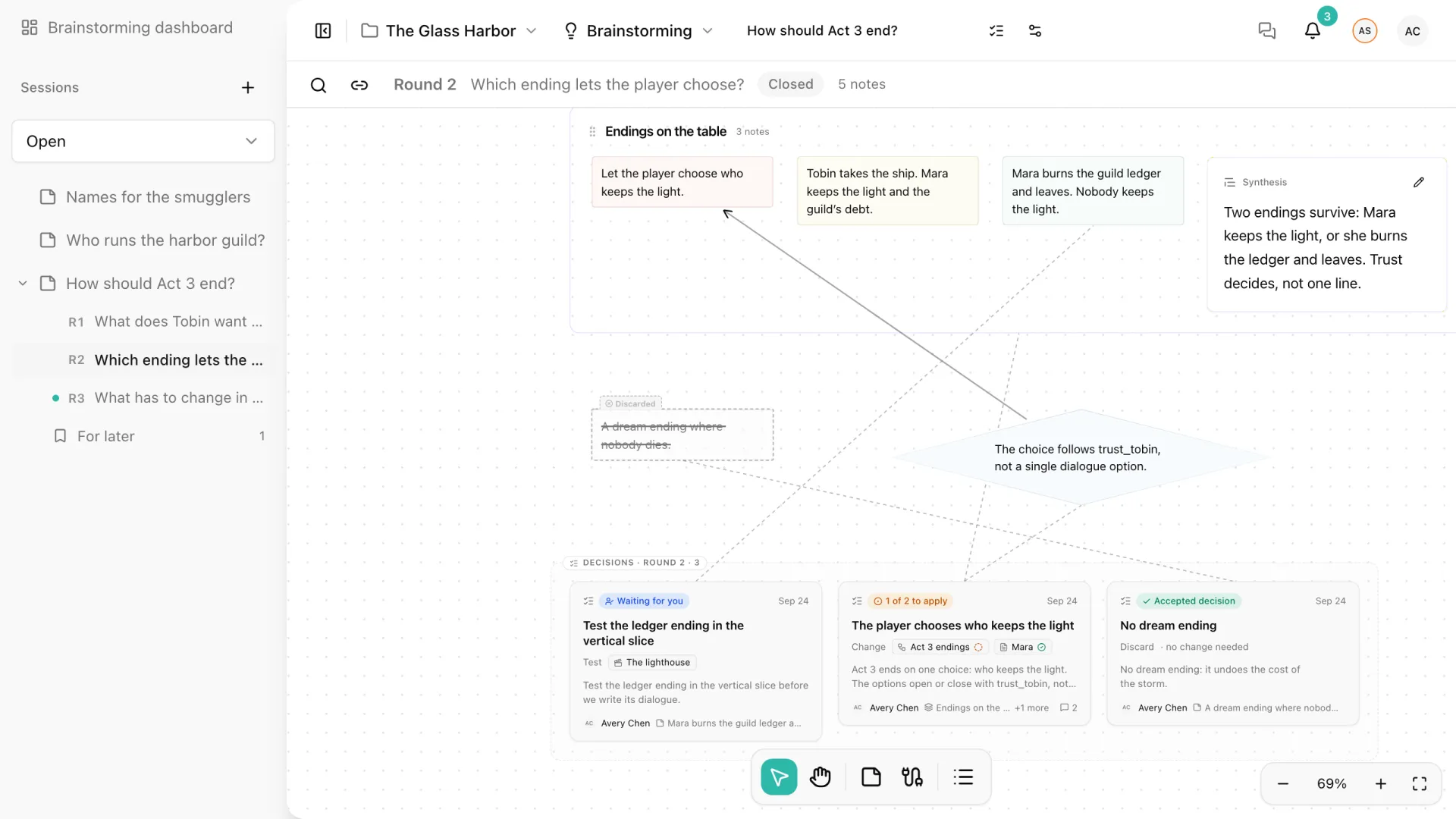
Brainstorming is where your team explores narrative ideas before they become production content. A session is a shared canvas of notes, organized in rounds, where people write, group what belongs together, and record what they agreed to do.
Why brainstorm inside Storyarn
A general-purpose whiteboard is the right tool for freeform diagrams, workshops, and anything that lives outside your story. Brainstorming in Storyarn has a narrower job: it knows your project. A session can start from a Sheet, Flow, or Scene, and a decision can name the content it affects. That decision remains available from the content’s editor after someone marks it applied, while the count of work still to do goes down.
How a session is organized
| Piece | What it does | Read next |
|---|---|---|
| Notes | Short contributions you write, move, shape, color, and connect on the canvas. | Canvas and Notes |
| Rounds | Horizontal bands of the canvas, each with its own question. A round can stay private until it is revealed and can run a countdown. | Rounds, Privacy, and Timer |
| Groups | Frames around related notes, with a written synthesis of what they have in common. | Groups and Synthesis |
| Decisions | What the team agreed to do, any content it affects, and how far it has been applied. | Decisions |
| Explorations | Sessions linked to a Sheet, Flow, or Scene, and the decisions about that content, shown from its editor. | Decisions in Your Content |
None of these pieces is mandatory. A session can be a single round of loose notes, or three rounds that end in accepted decisions. You add structure when it helps.
Start a session
Select New session on the Brainstorming dashboard, or the + next to Sessions in the sidebar. The session opens straight away as “Untitled session”, with one round and an empty canvas. Double-click anywhere to write your first note.
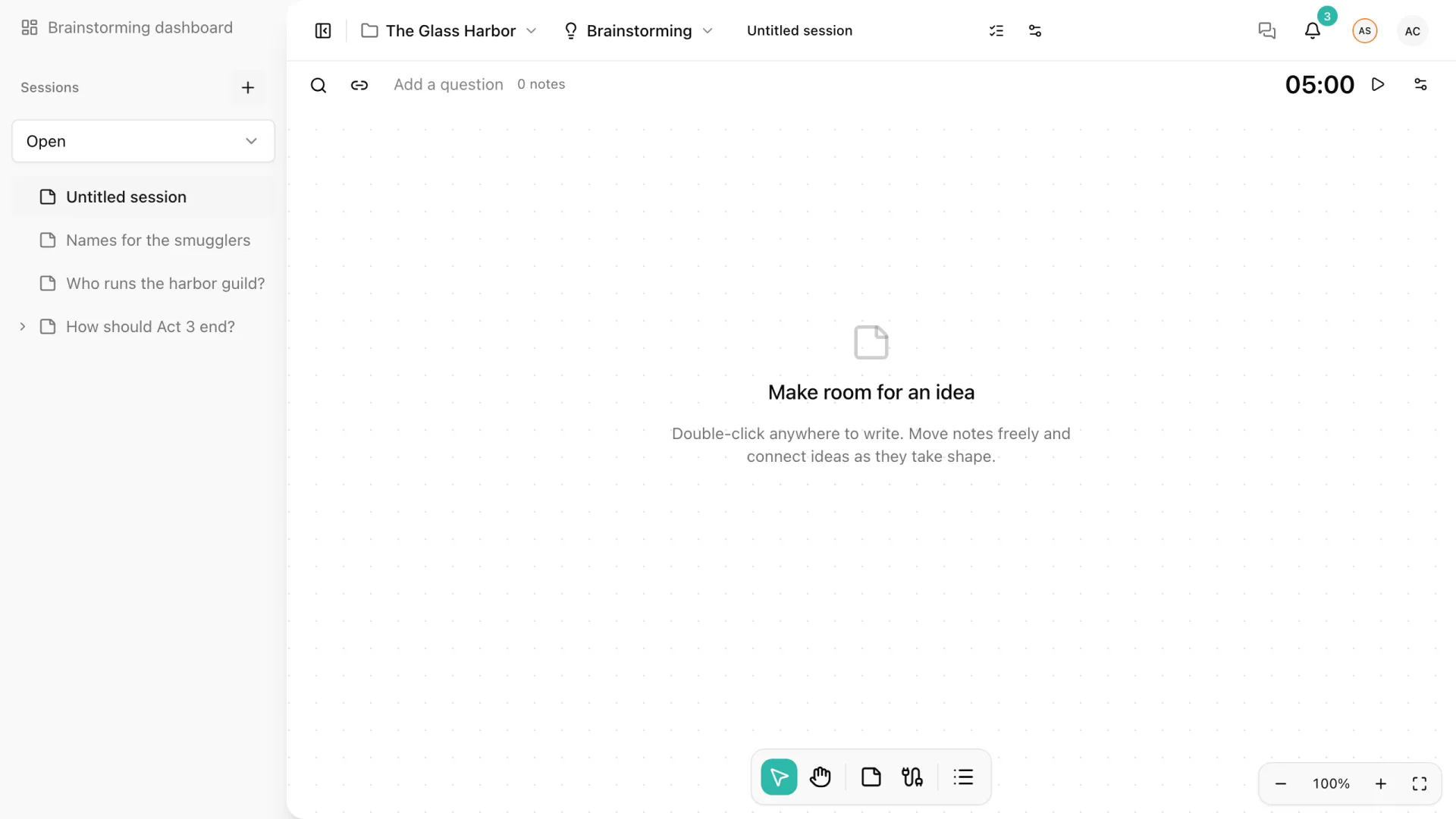
Open Session details and settings from the sliders icon in the header to give the session a title, an objective, and some context. The objective and context are optional; they help people who join later understand what the session is for.
You can also start a session from the content you want to change. The Explore changes lightbulb in the header of a Sheet, Flow, or Scene creates a session with that content as its starting context. See Decisions in Your Content.
The command palette also works here: search a session by its title to open it, or run New Brainstorming session in any project you can edit.
The Brainstorming dashboard
The dashboard lists the project’s open and archived sessions, with a status filter and pages for longer lists. A session with decisions shows a short summary, such as 4 decisions · 1 waiting for you · 1 to apply, so you can see where your attention is needed without opening each one. The Decisions tab lists every decision in the project and is described in Decisions in Your Content.
The sidebar starts with open sessions. Expand a session to see its rounds, named after their questions, and its For later list. Use the filter at the top of the sidebar to switch between Open, Archived, and Replaced sessions.
Roles in a session
A session has two responsibilities, both assigned in Session details and settings. Only people who can edit the project can hold them.
| Role | What it means |
|---|---|
| Facilitator | Runs the session: edits its title and settings, assigns both responsibilities, writes each round’s question, starts and closes rounds, makes a round private and reveals it, runs the timer, and archives the session. The person who creates a session is its first facilitator; the role can be handed to another editor. |
| Decision owner | The person suggested by default as responsible for new decisions. It gives no rights to manage the session. |
Everyone else participates according to their project role:
| Project role | In a session |
|---|---|
| Owner | Everything an editor can do, plus facilitating any session and reassigning either responsibility. |
| Editor | Creates sessions, writes notes, groups them, comments, proposes decisions, and marks how far they are applied. |
| Viewer | Reads the sessions, notes, groups, and decisions they have access to. Cannot write. |
Permissions are checked on the server for every change, not only hidden in the interface.
Archive a session
When a session is finished, the facilitator or the project owner can select Archive session in Session details and settings. An archived session stays readable, with its notes, groups, decisions, and history. Its decisions keep appearing in the content they affect, but they cannot be accepted, revised, or marked applied until the session is reopened.
Archiving also ends the privacy of every private round: from then on each counts as revealed, although notes that were never shared are not published. The facilitator or the project owner can Reopen session later to keep working.