

World Building
Blocks & Variables
How blocks define your data structure and become variables for flows.
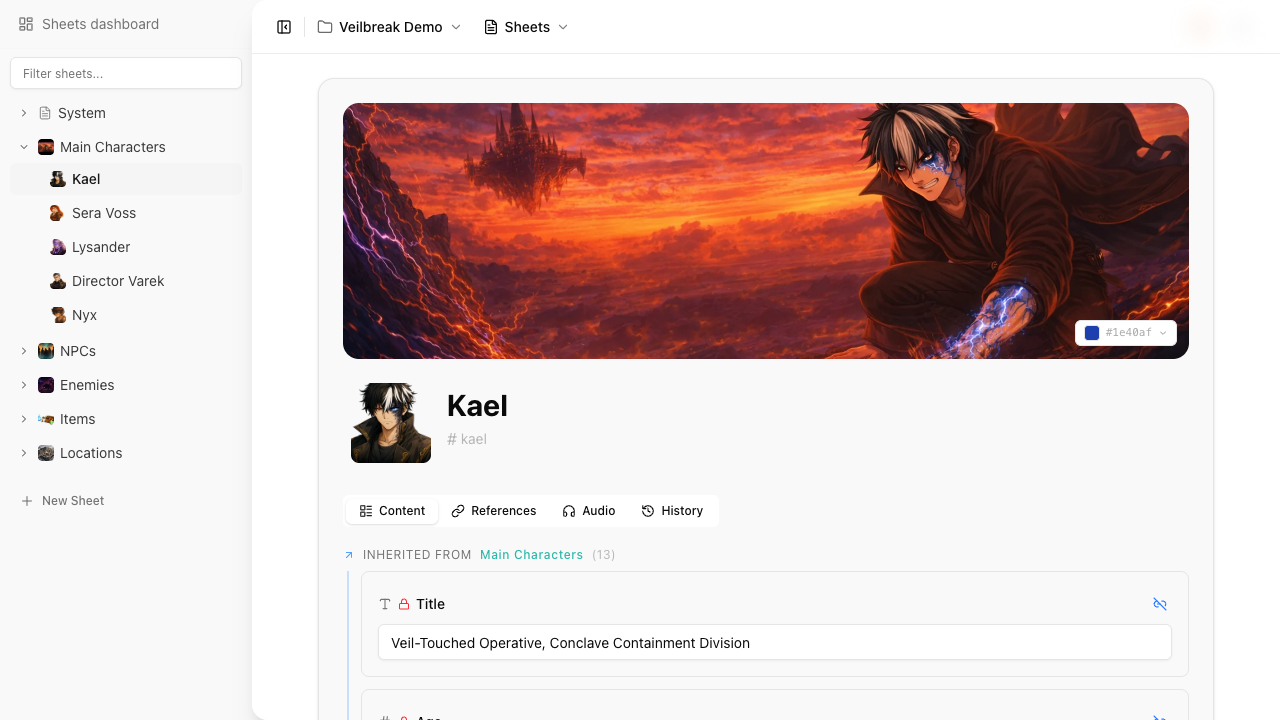
Blocks are the fields on a sheet. Each block has a type and a label. Unless marked as a constant or using a non-variable type, a block automatically becomes a variable that flows can read and modify.
Block types
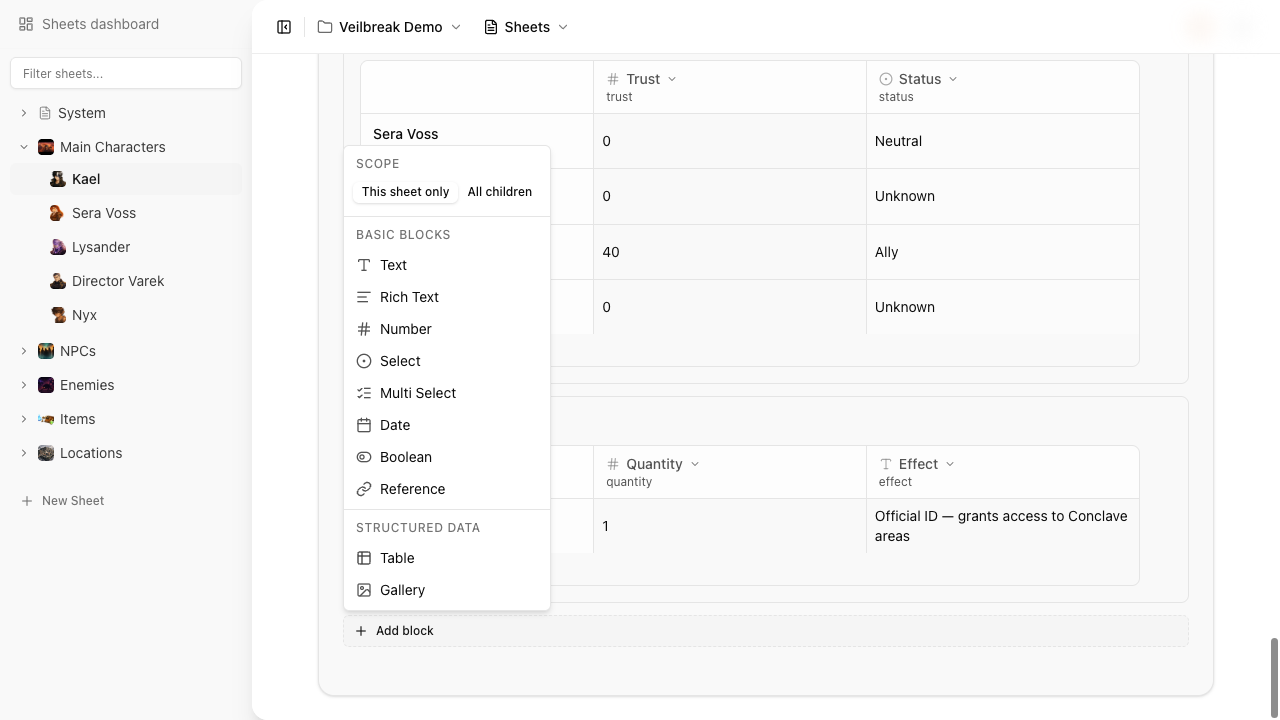
Storyarn supports 10 block types:
| Type | Description | Variable? | Value example |
|---|---|---|---|
| Text | Single-line or short text input with optional placeholder | Yes | "Jaime" |
| Rich Text | Formatted text with bold, italic, lists, links | Yes | "<p>A brave warrior...</p>" |
| Number | Numeric input with optional min, max, and step constraints | Yes | 42 |
| Boolean | Toggle switch. Supports two-state (true/false) or tri-state (true/false/nil) modes | Yes | true |
| Select | Single choice from a defined list of options | Yes | "warrior" |
| Multi Select | Multiple choices from a defined list (tags) | Yes | ["fire", "ice"] |
| Date | Date picker | Yes | "2024-03-15" |
| Table | Spreadsheet grid with typed columns and named rows | Yes (cell-level) | See Table Blocks |
| Reference | Link to another sheet or flow | No | – |
| Gallery | Image collection from uploaded assets | No | – |
Reference and gallery blocks are excluded from the variable system because they don’t carry a meaningful runtime value.
Variable naming
Variables follow the pattern {sheet_shortcut}.{variable_name}.
The variable name is auto-generated from the block’s label: spaces become underscores, accented characters are transliterated to ASCII, and everything is lowercased.
| Label | Variable name | Full reference (on mc.jaime) |
|---|---|---|
| Health Points | health_points | mc.jaime.health_points |
| Clase Social | clase_social | mc.jaime.clase_social |
| Is Alive | is_alive | mc.jaime.is_alive |
You can customize the variable name after creation, and it stays as you named it until you change the label. An inherited block takes its variable name from its parent block’s label; detach it to give it a name of its own. Either way, a variable used elsewhere, in a flow or a scene, keeps its name when the label changes, so nothing that uses it breaks. If a sheet already has a variable with the same name (e.g., from inheritance), Storyarn appends a numeric suffix to keep names unique.
Constants
Mark a block as constant to exclude it from the variable system. Constants are for static data that flows never need to check or modify: character descriptions, flavor text, lore entries, reference images.
A constant block still displays on the sheet and is included in version snapshots – it just won’t appear in the variable picker when building conditions or instructions in flows.
The constant flag is also inherited: when a parent block with “children” scope is a constant, all child instances are constants too. A child sheet changes that only once it detaches the block.
Block configuration
Each block type has its own configuration options:
- Text – placeholder text.
- Number – placeholder, min, max, and step values for input validation.
- Boolean – two-state (true/false) or tri-state (true/false/unset) mode.
- Select / Multi Select – a list of options, each with a key and display value.
- Table – collapsible display, plus column and row definitions (see Table Blocks).
- Reference – allowed target types (sheet, flow).
Property scope
Every block has a scope that controls inheritance:
- Self – the block lives only on this sheet. This is the default.
- Children – the block definition cascades to all descendant sheets. Each child gets an instance with the same type, label, and configuration but its own independent value. A block switched to Children later reaches every sheet below it as well, also a sheet in the trash. Switched back to Self, the block leaves the child sheets; switched to Children again, it gives each sheet back the instance it had, with its value.
When a parent block with “children” scope is updated (label, type, options), all non-detached child instances sync automatically, also on a child sheet someone has open. If the type changes, child values are reset to the default for the new type.
An inherited instance takes its label, settings, constant and required flags from the parent block, so the child sheet does not edit them. You can detach an inherited instance to stop it from syncing with the parent. A detached block keeps its current configuration and can be edited independently. You can re-attach it later to resync with the parent definition, as long as the parent block still passes it on to the sheet.
Required blocks
Mark a block as required from its toolbar (the asterisk) to track whether it is filled in. A required block shows a required badge next to its label, and while it is empty it is a warning in the sheet’s health review, so incomplete sheets stand out at a glance. A table block marks its columns as required instead.
The required flag is also inherited: when a parent block with “children” scope is required, all child instances inherit that requirement.
Column layout
Blocks can be arranged in a multi-column layout using column groups. Within a group, blocks can be placed in column positions 0, 1, or 2, allowing up to three blocks side-by-side for more compact sheet layouts.