

Narrative Design
Condition Editor
Use Builder mode and Code mode to define reusable variable checks for flows and responses, and Builder mode for zones and pins.
The Condition Editor defines checks that read variables and return true or false. Storyarn uses the same editor in several places:
| Where | What the condition controls |
|---|---|
| Condition nodes | Which flow branch runs next. |
| Dialogue responses | Whether a player response is available. |
| Scene zones | Whether an area is visible or interactive during exploration. |
| Scene pins | Whether a marker, character, or hotspot is visible or interactive during exploration. |
Conditions only read variables. They do not change state. Use the Instruction Editor when you need to write values.
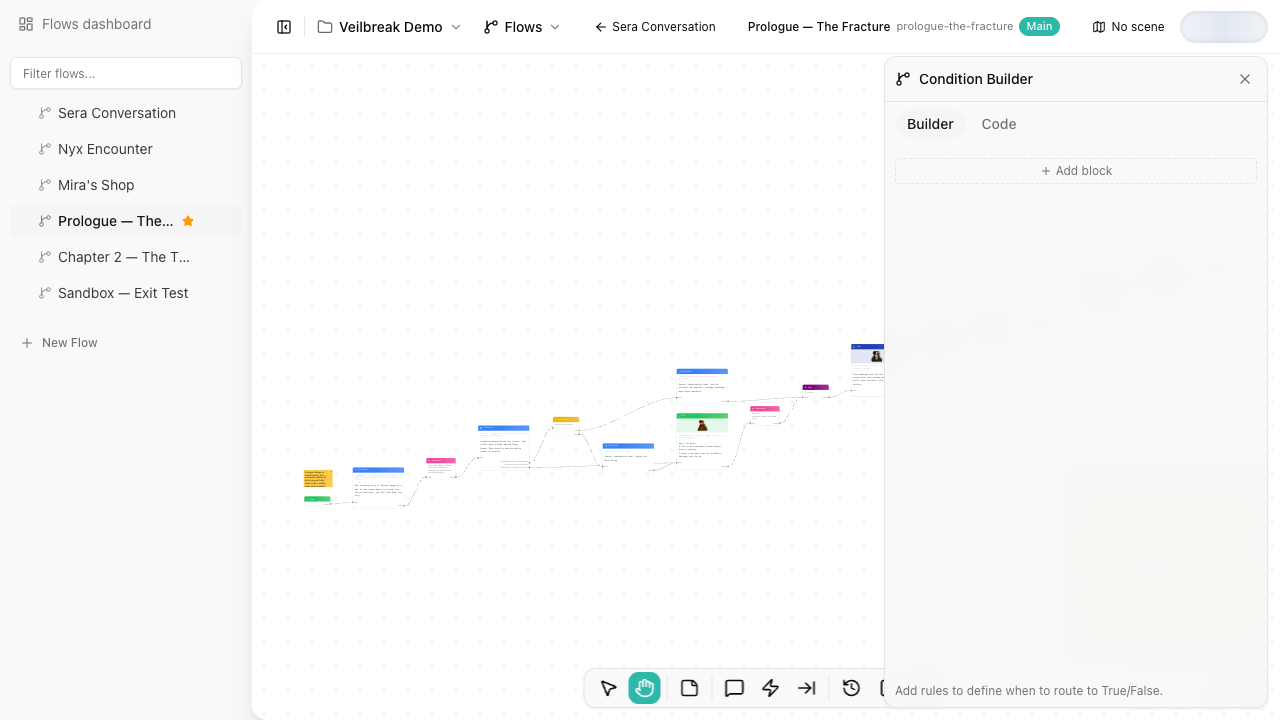
Editing modes
A condition in a condition node or a dialogue response has two editing modes. Scene zones and pins edit their conditions in Builder mode alone.
| Mode | Best for | What you edit |
|---|---|---|
| Builder mode | Most users, readable production logic, collaborative review | Sentence-style blocks made from variables, operators, values, and logic groups. |
| Code mode | Technical designers, fast edits, compact expressions | A text expression such as mc.jaime.health > 50 && quest.door.unlocked. |
Both modes edit the same condition. Opening Code mode shows it as text and changes nothing. An edit in Code mode is read back into the blocks and groups Builder mode shows, and saved when you stop typing or leave the text. A comment (//) is refused for now: Builder mode has nowhere to keep it.
Builder mode
Builder mode creates conditions from blocks and rules.
| Level | Purpose |
|---|---|
| Rule | One variable/operator/value comparison, such as mc.jaime.health > 50. |
| Block | A set of rules combined with All (AND) or Any (OR). |
| Group | A nested set of selected blocks with its own All or Any logic. Groups behave like parentheses. |
A simple condition reads like a sentence:
mc.jaime · health is greater than 50
Use Group selected when a subset of blocks needs to be evaluated together:
((mc.jaime.has_key) && (door.lock_level < 3)) || mc.jaime.is_admin
In Builder mode, group the key block and the lock-level block with All, then combine that group with the admin block using Any. Code mode writes each block of a group in its own parentheses, as above.
Operators by variable type
| Variable type | Operators |
|---|---|
| Number / formula | equals, not equals, greater than, greater than or equal, less than, less than or equal |
| Text / Rich text | equals, not equals, contains, starts with, ends with, is empty |
| Boolean | is true, is false, is not set |
| Select | equals, not equals, is not set |
| Multi-select | contains, does not contain, is empty |
| Date | equals, not equals, before, after |
The available operators depend on the selected variable type, so Builder mode prevents invalid comparisons where possible.
Code mode
Code mode writes the condition in the expression syntax. It is useful when you already know the variable paths or when an expression is faster to type than to assemble in Builder mode.
mc.jaime.health > 50 && (quest.door.unlocked || mc.jaime.has_key)
Each rule compares a variable, on the left, with a value:
| Builder mode | Code mode |
|---|---|
| equals, not equals | mc.jaime.class == "rogue", mc.jaime.class != "rogue" |
| greater than, less than, … | >, >=, <, <= |
| contains, does not contain | mc.jaime.traits contains "brave", not_contains |
| starts with, ends with | mc.jaime.name starts_with "Ja", ends_with |
| is empty | mc.jaime.notes is_empty |
| is true, is false | quest.door.unlocked, !quest.door.unlocked |
| is not set | mc.jaime.weapon == nil |
| before, after | quest.deadline before "2026-01-01", after |
Numbers are written as they are, such as 50, -5 or 0.5. Any other value goes in double quotes, with \" for a quote and \\ for a backslash inside it. A rule that has no value yet shows ?: write the value there. Code mode also reads == true and == false as is true and is false, and != true and != false as their opposites.
&& (all) binds before || (any), and parentheses hold the blocks and groups of Builder mode:
- A rule on its own is a block with that rule:
mc.jaime.alive && mc.jaime.health > 50is two blocks. - Parentheses around rules joined by
&&alone or||alone are one block:(mc.jaime.has_key || mc.jaime.is_admin). - Parentheses around parentheses, or around rules that mix
&&and||, are a group:((mc.jaime.has_key && door.lock_level < 3) || (mc.jaime.is_admin)).
Builder mode holds blocks inside groups and nothing deeper, so Code mode refuses more levels of parentheses.
! turns the check after it into its opposite, the comparison included: !(mc.jaime.health > 50) and !mc.jaime.health > 50 are both mc.jaime.health <= 50, and !(a.x && a.y) is !a.x || !a.y. Builder mode has no opposite for starts with, ends with, is empty, is not set, before and after, nor for a check the variable’s type would lose, such as contains on a text, so Code mode refuses to negate them. nil compares with == alone, so != nil is refused too.
A check on a value that is not set fails, and so does its opposite: while a three-state boolean has no value, neither quest.door.unlocked nor !quest.door.unlocked passes, and while a formula cannot be computed, neither mc.jaime.power == 5 nor !(mc.jaime.power == 5) does.
What Builder mode cannot hold is refused with a message where it is written, and nothing is saved until the expression reads: a value on the left, a value on its own, a comparison of two variables, or a comment. Code mode supports autocomplete, linting, and formatting. Use formatting after editing a longer expression so parentheses and logical groups remain readable.
While Builder mode holds something the syntax cannot write, such as a rule without a variable, an empty block or group, or a variable name the syntax cannot write, Code mode shows the condition read-only and says so. Finish or change it in Builder mode to edit the condition in Code mode.
Condition nodes and switch mode
The editor is shared, but some host features are specific to the place where the condition is used.
Condition nodes can use Boolean output mode or Switch output mode. In switch mode, each condition block becomes an output branch and the first matching block wins. A switch is edited in Builder mode only: each case has a name and an output, which Code mode cannot write. Dialogue responses, zones, and pins do not use switch outputs; they use the condition as a gate.