

World Building
Table Blocks
Spreadsheet-like grids within sheets for inventories, stat matrices, and structured lists.
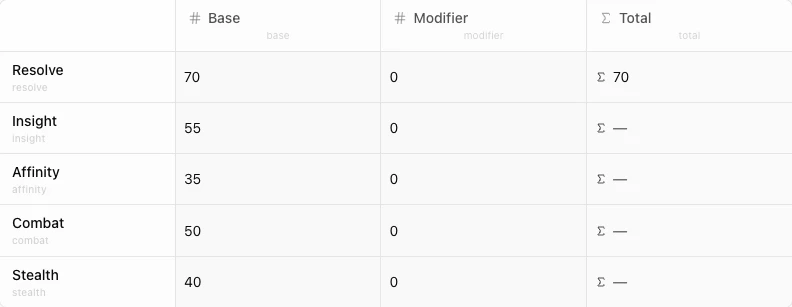
Tables are a block type that embeds a spreadsheet grid inside a sheet. Each table has typed columns, named rows, and cell-level variable references. Use them for inventories, stat tables, relationship matrices, skill trees, or shop catalogs.
Structure
A table is made of:
- Columns – typed fields that define the table’s structure. Each column has a name, a type, and a slug (auto-generated from the name).
- Rows – named records. Each row has a name and a slug. Row names should be descriptive: “Healing Potion”, “Iron Sword”, “Strength”.
- Cells – the intersection of a row and a column. Cell values are stored as a JSON map keyed by column slug.
Column types
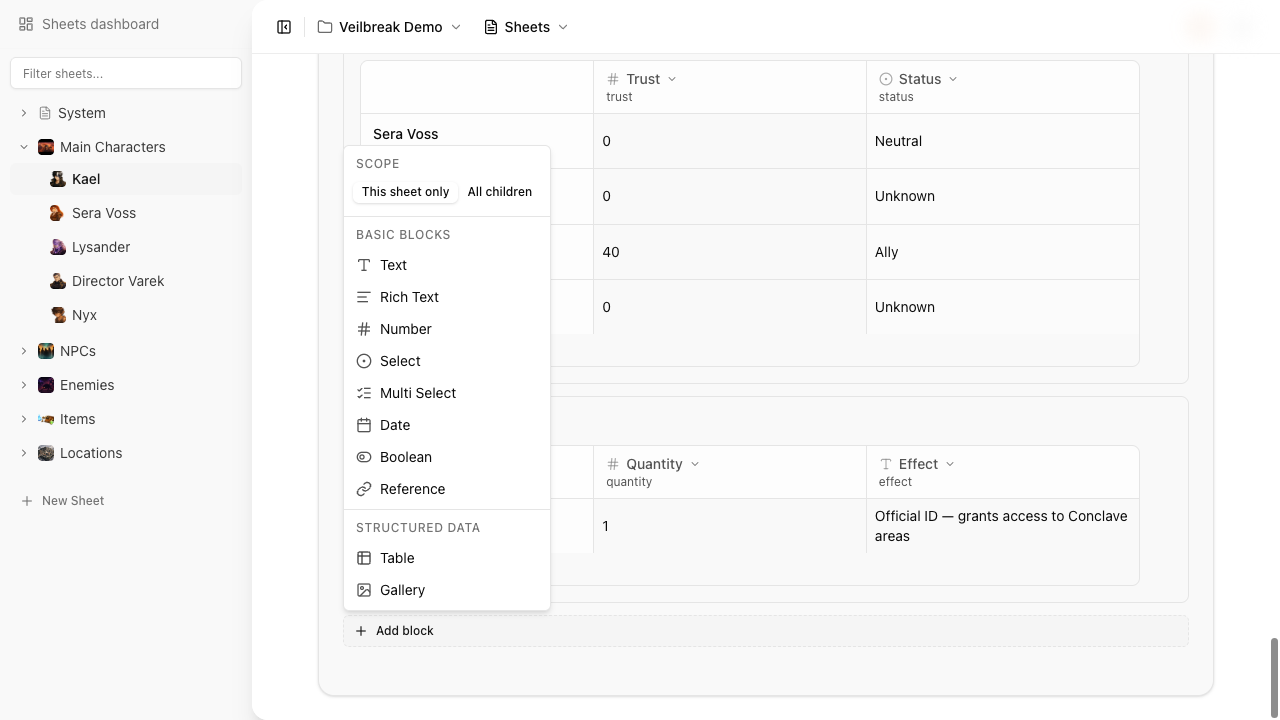
Table columns support 8 types:
| Type | Description |
|---|---|
| Number | Numeric values (default column type) |
| Text | Plain text (no rich text in tables) |
| Boolean | True/false toggle |
| Select | Single choice from defined options |
| Multi Select | Multiple choices from defined options |
| Date | Date value |
| Reference | Link to a sheet or flow (not a variable) |
| Formula | Computed value from a math expression with bindings |
These mirror the regular block types, except tables use plain text instead of rich text and add the formula column type.
Cell-level variables
Every non-constant, non-reference cell becomes a variable using extended dot notation:
{sheet_shortcut}.{table_variable}.{row_slug}.{column_slug}
For example, on sheet mc.jaime with a table block labeled “Inventory” (variable name inventory), a row named “Healing Potion” and a column named “Quantity”:
mc.jaime.inventory.healing_potion.quantity
This means flows can read and modify individual cells. A condition can check “Does mc.jaime.inventory.healing_potion.quantity > 0?” and an instruction can set it to a new value.
Slugs are auto-generated from names using underscore notation, just like block variable names.
Formula columns
Formula columns let you define computed values using math expressions. Each cell in a formula column stores its own expression and variable bindings.
Syntax
Formulas support standard math operations and functions:
| Category | Syntax |
|---|---|
| Operators | +, -, *, /, ^ (power) |
| Unary minus | -a |
| Parentheses | (a + b) * c |
| Literals | 42, 3.14 |
| Functions | sqrt(x), abs(x), floor(x), ceil(x), round(x), min(a, b), max(a, b) |
Expressions use single-letter or named symbols (a, b, con_value) that are bound to actual data sources.
Binding types
Each symbol in a formula is bound to a data source. There are two binding types:
- Same-row – references another column in the same row. For example, binding
ato the “Base” column meansaresolves to that row’s Base value. - Cross-sheet variable – references any variable in the project by its full path. For example, binding
btomc.jaime.levelpulls the character’s level into the formula.
Example
A “Modifier” formula column on a stats table with the expression floor((a - 10) / 2), where a is bound to the same-row “Value” column:
| Stat | Value | Modifier |
|---|---|---|
| Strength | 16 | 3 |
| Dexterity | 12 | 1 |
| Constitution | 8 | -1 |
The modifier is recomputed whenever the bound values change.
An expression is saved only once it is valid and the table can take it. Until then, the formula panel keeps it, says what is wrong and stays open on that cell, while the cell keeps its previous formula and bindings. Press Esc in the expression field to go back to the cell’s formula, or use the panel’s close button to discard the expression.
Column configuration
Columns have the same configuration options as their equivalent block types:
- Select / Multi Select columns get a list of options.
- Columns can be marked as constant – their cells won’t be exposed as variables.
- Columns can be marked as required – empty cells will be flagged.
Inheritance
When a table block has scope set to “children”, the entire table structure (columns and rows) is copied to child sheets. Each child gets its own table with the same columns and rows but independent cell values.
Formula bindings that reference the parent sheet are automatically rewritten to point to the child sheet. For example, if a parent sheet main has a formula binding to main.combat.attack, the child sheet seven gets the binding rewritten to seven.combat.attack (assuming the combat block was also inherited).